What comes after VEXcode Blocks?
Your kid can drive, turn and run a block-code auton. Then the team starts talking about C++, PROS, LemLib, odometry and PID, and there's nobody around who can teach that part. That gap is the most common place VEX students get stuck.
Why block code stops being enough
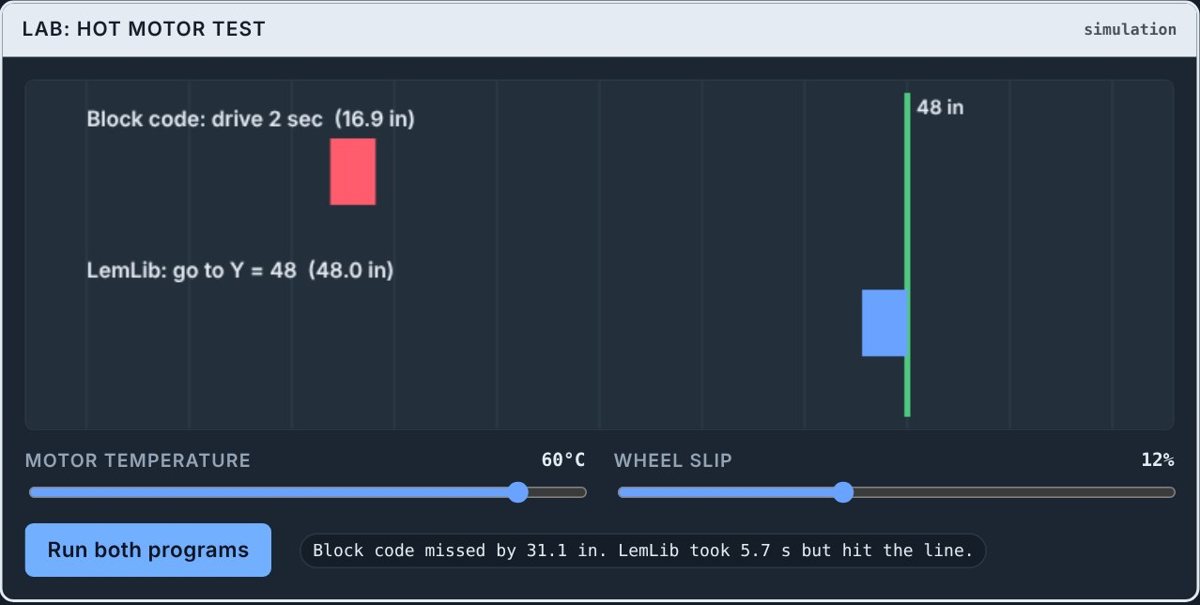
Block programs say "drive forward 24 inches, turn right 90 degrees." That works when the robot is cool, the battery is full and nothing bumps it. In a real match the motors warm up, wheels slip, and the same program lands a few inches off. Each miss adds up, so by the third move the robot is somewhere else. Better teams fix this with odometry: the robot keeps track of its X and Y spot on the field and drives to a point, not just "forward some inches."
The path, step by step
- 🧱Finish the basics in BlocksDrive, turn, loops, the controller, sensors, a first auton.
- ⌨️Same ideas in C++Each block becomes one line of code. Nothing new to understand, just new words.
- 📍OdometryTracking wheels and an inertial sensor tell the robot where it is.
- 🎛️Tune with PIDThe robot slows down smoothly and stops on the spot.
- 🏁Real autonsPlan a route, chain moves, run two things at once, build a skills run.
Blocks and C++ say the same thing
Here's a short block program next to the same program in C++. The ideas don't change. Only the words do.
Which tool: LemLib or JAR-Template?
LemLib (with PROS)
Very popular with competitive teams. Runs on PROS in VS Code. Great for curves, path following and fast chained moves. LemLib for beginners →
JAR-Template (VEXcode C++)
Stays inside the VEX tools your team may already use. Simple commands like drive_to_point. A gentle first step into C++. JAR-Template for beginners →
Either one is a good choice. Pick the one your team or coach already uses. If nobody uses either, JAR-Template is a little easier to start and LemLib goes further.
What if the robot is at school or the lab?
Most of this can be learned at home. Odometry, coordinates and PID are ideas first. A virtual robot that drives and drifts like the real one lets a kid practice in the evening, then test on the real robot at the next practice.
How autonomy.school fits
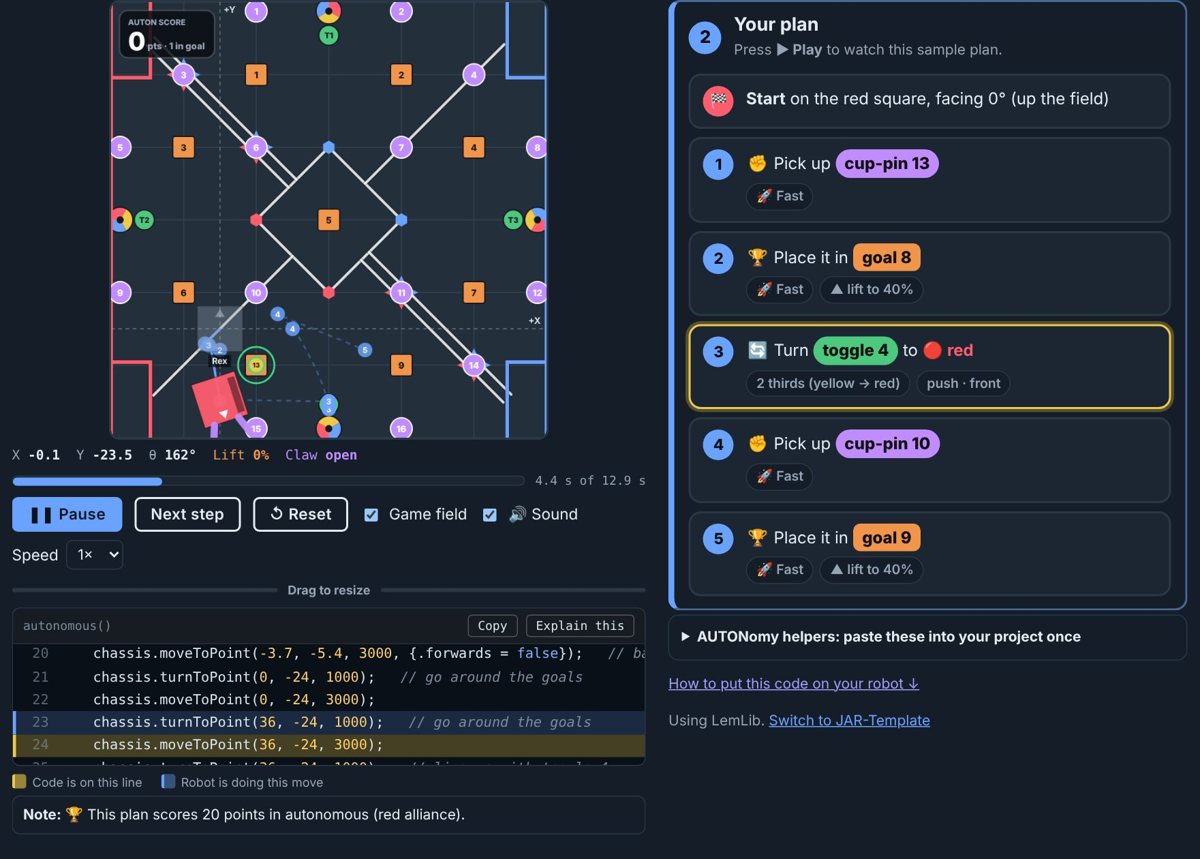
autonomy.school is a VEX V5 course built for exactly this gap: 10 Blocks missions, 12 odometry missions (LemLib or JAR-Template) and 8 advanced missions, each with a virtual robot, quizzes and an AI Coach that knows this season's game manual. It was made by a VEX parent whose son hit this wall and had no one to teach him the next step.
Questions people ask
What should my kid learn after VEXcode Blocks?
C++ next, then odometry with LemLib (PROS) or JAR-Template (VEXcode), then PID tuning. That's the path most competitive VEX V5 teams use for accurate autonomous routines.
Do they need to know C++ before LemLib?
Only the basics. If they understand blocks, the C++ they need for LemLib or JAR-Template is mostly one line per block, plus a robot config file.
Can a parent or coach who doesn't code help?
Yes. You don't need to know the code. You need a plan for what to learn in which order and a way for your kid to check their work. That's what a structured course gives you.
How old should my kid be?
Most kids on VEX V5 teams are about 10 to 18. Younger kids do well with a parent nearby for the setup steps.
Try it free. The first autonomy.school missions run in your browser. No sign-up, nothing to install, and there's a virtual robot if yours is at school or the lab.
Start the free missions