LemLib for beginners
LemLib is a free library for PROS that gives a VEX V5 robot odometry, PID and motion commands like moveToPoint. It's how many competitive teams get autons that land on the same spot every match.
What you need
- A computer with VS Code and the PROS extension (a grown-up helps install it)
- A V5 brain, drivetrain and an inertial sensor
- Tracking wheels with rotation sensors (strongly recommended, not required)
- A tape measure, for the robot's measurements
How LemLib thinks
LemLib treats the field like a graph. The robot starts at a pose: an X, a Y and a heading. As it drives, the tracking wheels and inertial sensor update that pose many times a second. Then you tell it where to go:
chassis.setPose(0, 0, 0);          // start here, facing forward
chassis.moveToPoint(0, 24, 2000);  // drive to 24 inches ahead
chassis.turnToHeading(90, 1000);   // face right
chassis.moveToPoint(24, 24, 2000); // drive to the right spot
Distances are in inches. +Y is forward from the start, +X is to the right, and heading 0 is forward, increasing clockwise. The number at the end is a time limit in milliseconds, so a stuck robot doesn't wait forever.
The order to learn it in
- 📍CoordinatesX, Y and heading on the field.
- 🛞Tracking wheelsHow spinning turns into inches.
- 🧰Install PROS + LemLibOne project, one library.
- ⚙️Robot configPorts, wheel sizes, track width, offsets.
- ✅Test odometryPush the robot; the numbers should match.
- 🎛️Tune PIDSmooth stops, no wobble.
The mistakes that trip up beginners
- Wrong tracking wheel offset sign. Left of center is negative, right is positive. A wrong sign makes turns drift.
- Skipping the odometry test. If pushing the robot 24 inches doesn't read 24, no amount of PID tuning will fix the auton.
- Forgetting moves run in the background. The next chassis move waits, but other code runs right away. Use
chassis.waitUntilDone()when it matters. - Changing many numbers at once. Change one, test, write it in the notebook.
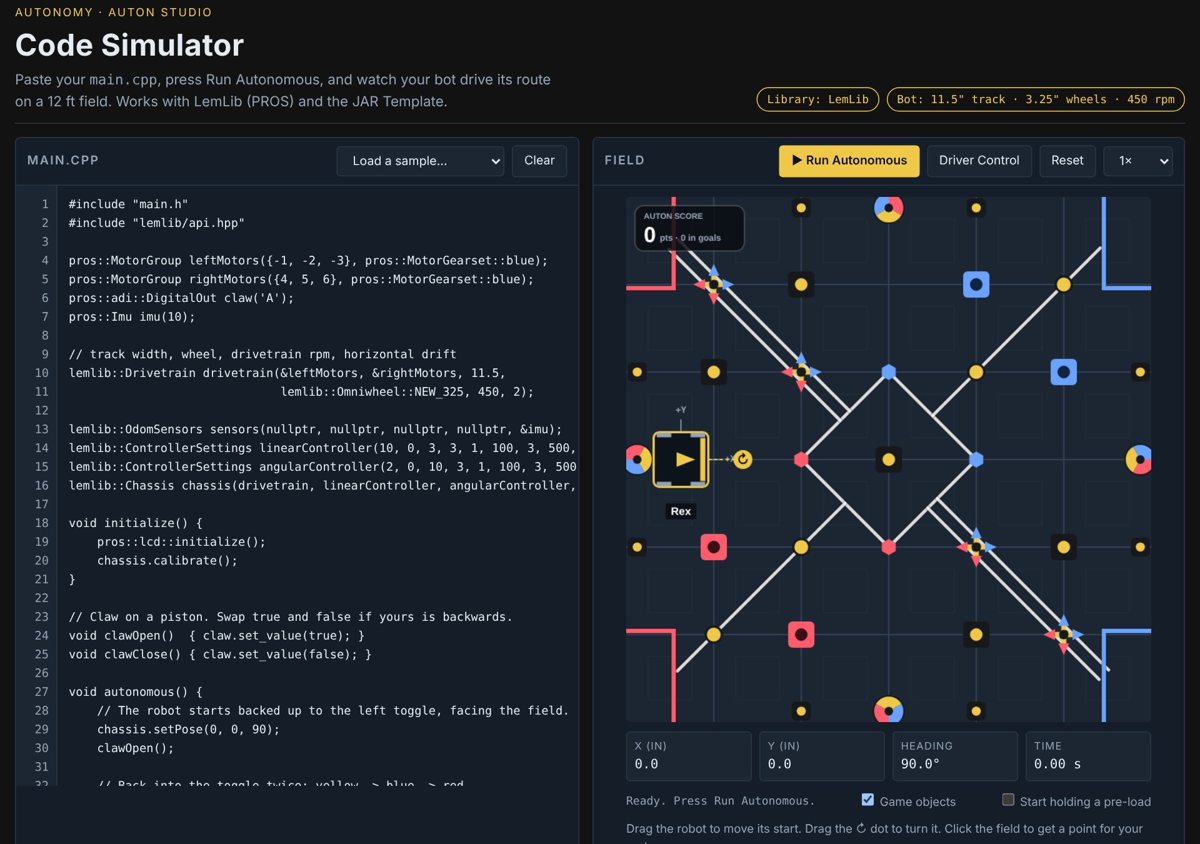
The official LemLib documentation is the reference for every command. autonomy.school turns it into missions a kid can follow, with a virtual robot to practice on.
Questions people ask
Is LemLib free?
Yes. LemLib is a free, open-source library for PROS on VEX V5.
Do I need tracking wheels for LemLib?
No, but they help a lot. Without them LemLib can use the drive motors and inertial sensor, which slip more.
LemLib or JAR-Template?
Both work. LemLib runs on PROS and goes further with curves and path following. JAR-Template stays in VEXcode and is a little easier to start.
Is it OK under VEX rules to use LemLib?
Yes. Teams use libraries all the time. Give credit in your engineering notebook and understand the code you run.
Try it free. The first autonomy.school missions run in your browser. No sign-up, nothing to install, and there's a virtual robot if yours is at school or the lab.
Start the free missions